
Up until very recently, everything we’d seen in the broader AI space has worked the same way: You told it what to do, it did it, and you moved on. You prompted, it responded, done.
Something just changed.
These last few weeks mark a specific, identifiable moment when the relationship between humans and AI shifted in a way that deserves everyone’s attention. And it begins with a tool called OpenClaw (more on its tangled ClawdBot naming history in a moment).
OpenClaw can execute commands on your computer. It can move files, run code, and browse the web on its own. It can plan multi-step tasks and decide what to do next. And here’s the part that separates it from most AI tools people have used so far: it can extend its capabilities by writing and debugging code, iterating on its own workflows as it goes.
That’s not an incremental upgrade. That’s a giant leap from “AI assistant” toward something closer to an autonomous, self-improving agent.
The recursive, self-improvement piece is what makes this feel fundamentally different. OpenClaw does not just perform tasks. It can get better at performing tasks by generating and refining its own code and tools, without waiting for a traditional software update cycle.
Too many people right now are focused on the surface: how to install it, how productive it is, and broad statements about the dangers. A better question is what it signals about what comes next.
You may have noticed what’s been happening in U.S. markets this month. Trading has been choppy, but one theme keeps resurfacing: Investors are re-pricing software and cloud companies around the possibility that AI will change how much people pay for software, and how often they pay at all. In early February, that fear sparked a sharp selloff across parts of the software and IT services world.
The combination of tools I discuss in this article has changed the math on what software costs to build. ClawdBot, the original name for OpenClaw, put a crustacean-themed face on something serious that coders have quietly known for months, if not years: the old economics of software are starting to break apart.
Many people, from teenage YouTubers to chief scientists, are using OpenClaw. And just as many voices are shouting at them to stop. There have been twists, turns, lessons and wake-up calls along the way, along with some real questions worth answering: How did this happen? What are the dangers? Should you use it, and are there safer alternatives?
What does this mean for your work and career, and what am I doing about it? That’s what we’re looking at today.
1. What just happened
Let me put this in practical terms.
Imagine it’s 4:00 a.m. and you’re asleep, but your AI agent is awake. Not because you set an alarm or scheduled a task, but because it inferred that this is the best time to check flight prices for the trip you mentioned in passing last week. It finds a deal, books it within your pre-set budget, and sends you a confirmation summary when you wake up.
Or this: You mention in a message to a friend that you need to send an invoice to a client. In a scenario where you have explicitly granted the agent access to your invoicing tool, turned on proactive actions, and defined clear limits, OpenClaw could draft the invoice from context and tee it up for your approval, or even send it if you have authorized that behavior.
And to manage your apps? OpenClaw can create small organizational tools on the fly, inferred from context it picked up in your workflow. That’s helpful. It’s also exactly why this category of software raises new security and privacy questions.
This is different from the reactive pattern most people know. ChatGPT, Claude, Gemini, the tools I’ve discussed in previous articles on vibe coding and building an AI receptionist, those are mostly reactive. You ask, they answer. OpenClaw is designed to be more proactive, and it can be configured to carry context across sessions through memory features. It can also iterate on its own scripts and tools to improve performance over time.
The scale of adoption tells you something as well. As of February 22, more than 218,000 developers have starred OpenClaw on GitHub, the developer equivalent of favoriting it. For context, most popular open-source projects take months or years to reach that kind of number. This kind of traction is a clear signal that developers see something significant here. (See the project here: https://github.com/openclaw/openclaw)
The naming history you should know
- The project launched in late 2025 under the name ClawdBot, a nod to Anthropic’s Claude, which powered early versions. (The prototype was reportedly created by a single developer in roughly an hour, which could be a story all on its own.)
- In January 2026, it went viral and the explosion of interest was immediate and massive. The development community could not stop talking about its autonomous loops of thinking, planning, and executing without needing constant prompts.
- Anthropic raised trademark concerns about the ClawdBot name because of its similarity to Claude, which prompted a quick rebrand.
- The project was briefly rebranded to MoltBot, but that did not last. When developer Peter Steinberger tried to swap his social media handles, opportunistic “handle snipers” grabbed them almost instantly. Within hours, scammers used the hijacked X account to promote a fake $CLAWD token on Solana that briefly surged before collapsing, adding chaos to an already confusing situation.
- Steinberger settled on OpenClaw, which is the name that stuck. If you see articles referencing OpenClaw, ClawdBot, or MoltBot, they are talking about the same project. (Interestingly, Steinberger announced last week that, among other things, he would be joining OpenAI "to work on bringing agents to everyone.")
Important point of clarity: OpenClaw and Anthropic’s Claude are separate projects. The similarity in naming is one reason the project rebranded. Early versions of OpenClaw used Claude, but OpenClaw is now model-agnostic, meaning it can work with multiple AI models.
2. Finding it, installing it, and what happens next
OpenClaw is free, open-source software. You can find it on GitHub at https://github.com/openclaw/openclaw.
There’s also an active Discord community where users share tips and troubleshoot together, and dozens of YouTube walkthroughs if you prefer to watch someone do it first.
Installation is straightforward for developers and advanced hobbyists, and there are step-by-step guides. The setup usually involves running a command in your terminal and following a guided wizard.
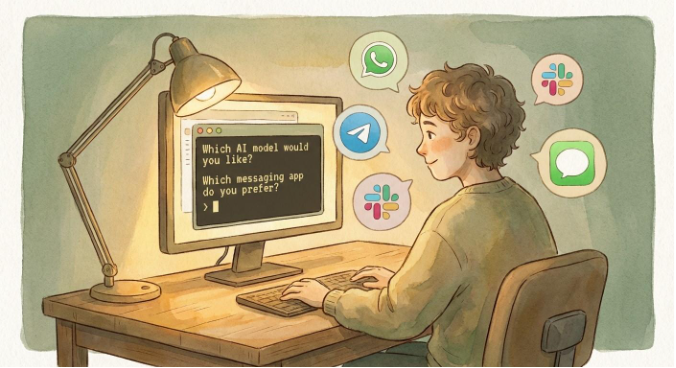
OpenClaw will ask you a handful of questions in plain English:
- Which AI model do you want to power it?
- Which messaging app do you want to connect it to? (WhatsApp,
Telegram, Discord, Slack, iMessage, Teams) - What capabilities do you want to enable? (Web browsing, file
management, calendar access)
The process can take roughly 20 to 30 minutes, depending on your system and configuration. And what you get at the end of it is something genuinely new.
After it’s installed, OpenClaw can run persistently on your machine and stay connected to whichever messaging app you selected. You interact with it the way you’d text a friend. But unlike most AI tools, OpenClaw is designed to do more than respond: It can monitor, retain context (if you enable memory), and carry tasks forward across steps.
Steinberger was not trying to launch a product. He was trying to build the personal AI assistant he wished existed, one that lived on his hardware, was connected to his apps, and could actually do work without constant micromanagement. That vision is now available to anyone willing to set it up.
When you start using it, code can appear on your screen the way it does when you’re vibe coding, and you do not have to understand all of it to benefit from it. The bigger point is what the system is doing: generating and deploying small tools in real time, creating whatever it needs to accomplish the task you described, and iterating if it fails.
You might ask it to organize your inbox, and it writes a script to categorize emails by priority. You might mention a meeting, and it drafts a calendar entry. It is not following one fixed script. It is reasoning through what needs to happen and attempting to make it happen.
Here are three examples of the benefits people are already seeing:
- Time recovery. Users are automating hours of repetitive work: scheduling, email triage, file organization, research summaries, all through simple text conversations. Tasks that used to eat up an entire morning can happen in the background while you focus elsewhere.
- Always-on availability. Because OpenClaw can run persistently, it can work while you do not. It can check prices overnight, monitor inboxes, compile briefings, and have information ready before you’ve had your coffee.
- Custom tools on demand. Instead of searching for the right app or paying for another subscription, users describe what they need and watch OpenClaw build it. Expense trackers, client intake forms, project dashboards, purpose-built for your workflow.
Sounds great, right? Well, except for the guardrails question...
3. The guardrails question
The most responsible users of OpenClaw are treating it the way you’d treat a new employee. You would not hand a new hire the keys to every system, every database, every account on their first day. You’d start them with limited tasks, restricted information, and gradually expand access as they earn trust.
That is the intelligent way of approaching OpenClaw.
But here is the big problem: Depending on how it’s installed and configured, OpenClaw may have broad access to local files and system functions. Out of the box, some setups can give it far more power than most people realize. And there is no undo button for many of its operations. It can move, delete, or modify files, and once those actions are taken, reversing them is not always possible.
The security findings
The documented security nightmares are stacking up. And these are not hypothetical concerns. They are findings from security researchers and organizations.
Security researcher Maor Dayan reported tens of thousands of OpenClaw instances publicly exposed on the internet, with the majority showing critical security weaknesses. (More here: https://conscia.com/blog/the-openclaw-security-crisis/)
Separately, Jamieson O’Reilly, founder of red-teaming company Dvuln, reported finding open instances, some of which exposed private conversations upon connection.
The skill registry (a sort of marketplace where users share add-on capabilities for OpenClaw) is already being exploited. A skill called “What Would Elon Do?” turned out to be functional malware and climbed the rankings through manufactured popularity, according to Cisco’s analysis. Cisco also reported that a meaningful share of community-contributed skills contained vulnerabilities. (Cisco’s analysis: https://blogs.cisco.com/ai/personal-ai-agents-like-openclaw-are-a-security-nightmare)
Prompt injection: the unsolved problem
There’s also a more fundamental vulnerability known as prompt injection. In plain language, here’s how it works: an attacker hides malicious instructions inside a website, email, or document that the agent reads and processes. The agent then executes those instructions as if they were legitimate.
The agent does not reliably know the difference.
No one has fully solved this problem yet. Even major AI labs acknowledge that prompt injection remains an ongoing challenge, especially for agents that browse the web and take actions. (One helpful overview: https://www.anthropic.com/news/claude-opus-4-6)
The divide in the AI community over OpenClaw is striking. I have not seen this kind of whiplash between excitement and alarm around any other technology in recent memory.
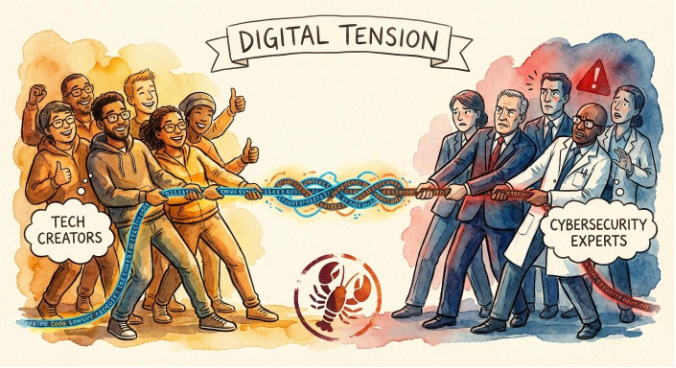
Alex Finn, a YouTube creator who logged over 210 hours with OpenClaw in a single month, captured the enthusiasm side in a post on X: “The single most important thing you can be doing right at this moment in time is to download and learn OpenClaw. Your entire lineage will thank you.”
Andrej Karpathy, the OpenAI co-founder whose original post on X helped ignite the frenzy, reversed course days later: “So yes it’s a dumpster fire and I also definitely do not recommend that people run this stuff on their computers (I ran mine in an isolated computing environment and even then I was scared).”
Can you set OpenClaw up carefully, think like a developer, and use it successfully? Yes, you can. But it may be smarter for many people to wait for safer, more tested, more monitored solutions. You will not likely have to wait very long.
To OpenClaw or not to OpenClaw? Here’s what I’m doing.
So what am I personally doing with all this information, knowing that I have a career, companies, and clients to protect? Here’s my answer.
1. I’m using trusted systems.
Pertaining strictly to AI tools, I will continue to use Gemini for deep research in combination with Perplexity. With each prompt, I will request reputable sources. And with everything I build, I will research proper development methods, logic, and security practices.
In short, the tools you choose to work with matter more now than they ever have.
I personally trust Claude and its ecosystem of products. Anthropic recently released Claude Cowork, a desktop tool that works directly with files on your computer. It is becoming more capable quickly. And yes, the idea of AI altering files on my actual machine gave me pause at first.
But I trust Anthropic more than some other companies because of their approach to testing and safety work. To be clear, no AI expert worth his or her salt will tell you that any of this emerging technology is guaranteed to be safe. But Claude Cowork, along with Claude’s skills feature and the coding capabilities of Claude Opus 4.6, have earned a spot on my tool belt. (Cowork: https://support.claude.com/en/articles/13345190-getting-started-with-cowork and Opus 4.6: https://www.anthropic.com/news/claude-opus-4-6)
2. I’m continuously improving, customizing, and securing my tools.
I am making sure I set up proper security measures and keep the human in the loop. And not just any human: the one who’s responsible for the work. AI is a tool for me, not a playground. I need to understand what is happening, how it works, and what is going on behind the instant results.
3. I’m going to keep learning.
Specifically, I’m going to keep learning about the development process and what it means for the safety and security of my personal information, and the sensitive information of the people I love, care about, and represent. The more I understand how these systems work, the better I can protect myself and the people around me.
If you are not going to be creating products, find a news source and resources that keep you up to date on security for your own devices.